Document integrity / Notarize and inspect
Prove a document has not changed.Spot the ones that have.
LudeProof registers a cryptographic fingerprint and an independent trusted timestamp for any file, so you can prove it existed and prove it never changed. For a file you receive, a forensic signals report says what its metadata, structure and signatures actually reveal.
Numbers / What the product actually does
Facts, not adjectives.
Every figure below is a property of the product itself, not a marketing estimate.
- Fingerprint
- SHA 256
- Timestamp authorities
- 2
- Largest file
- 20 MB
- Checks included
- 5 to 100,000
computed in memory, file discarded
FreeTSA first, DigiCert fallback
PDF, JPEG, PNG or Word
per month, by plan
The honest part / No fake stamps
What we will never claim.
A report is evidence, and the judgement stays with you.
No tool can look at an arbitrary file and certify it is genuine. Anyone who says otherwise is selling confidence, not evidence. LudeProof reports what can actually be established: whether a registered document changed, what a file's own metadata and structure reveal, and whether its cryptographic signatures hold. You get evidence, explained in plain words, and you stay the judge.
How it works / Three steps
From upload to answer in seconds.
Nothing to install, no plugin, and no account needed to check a certificate.
- 1
Upload the document
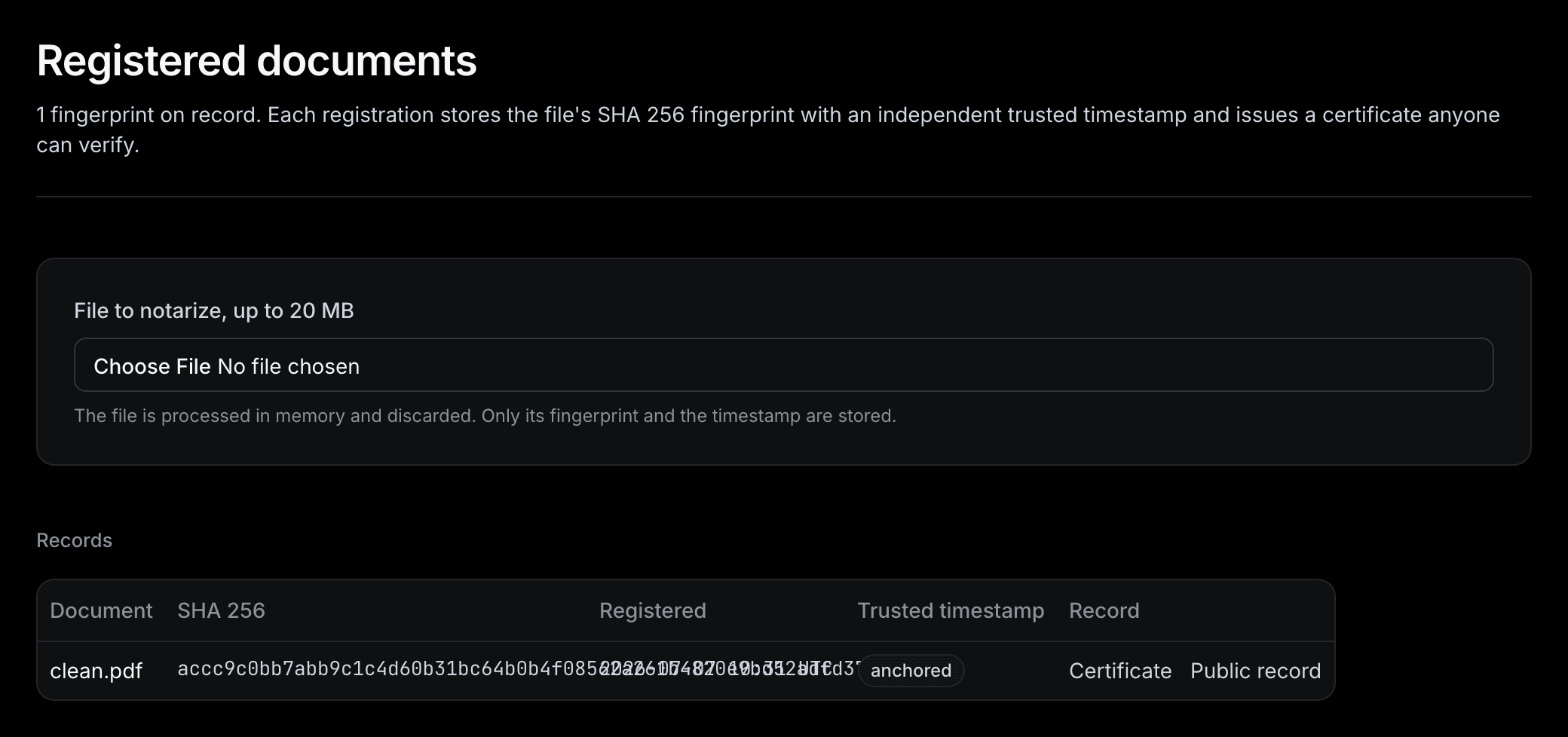
PDF, JPEG, PNG or Word file, up to 20 MB. It is processed in memory and discarded, and the file itself is never stored.
- 2
We fingerprint and anchor it
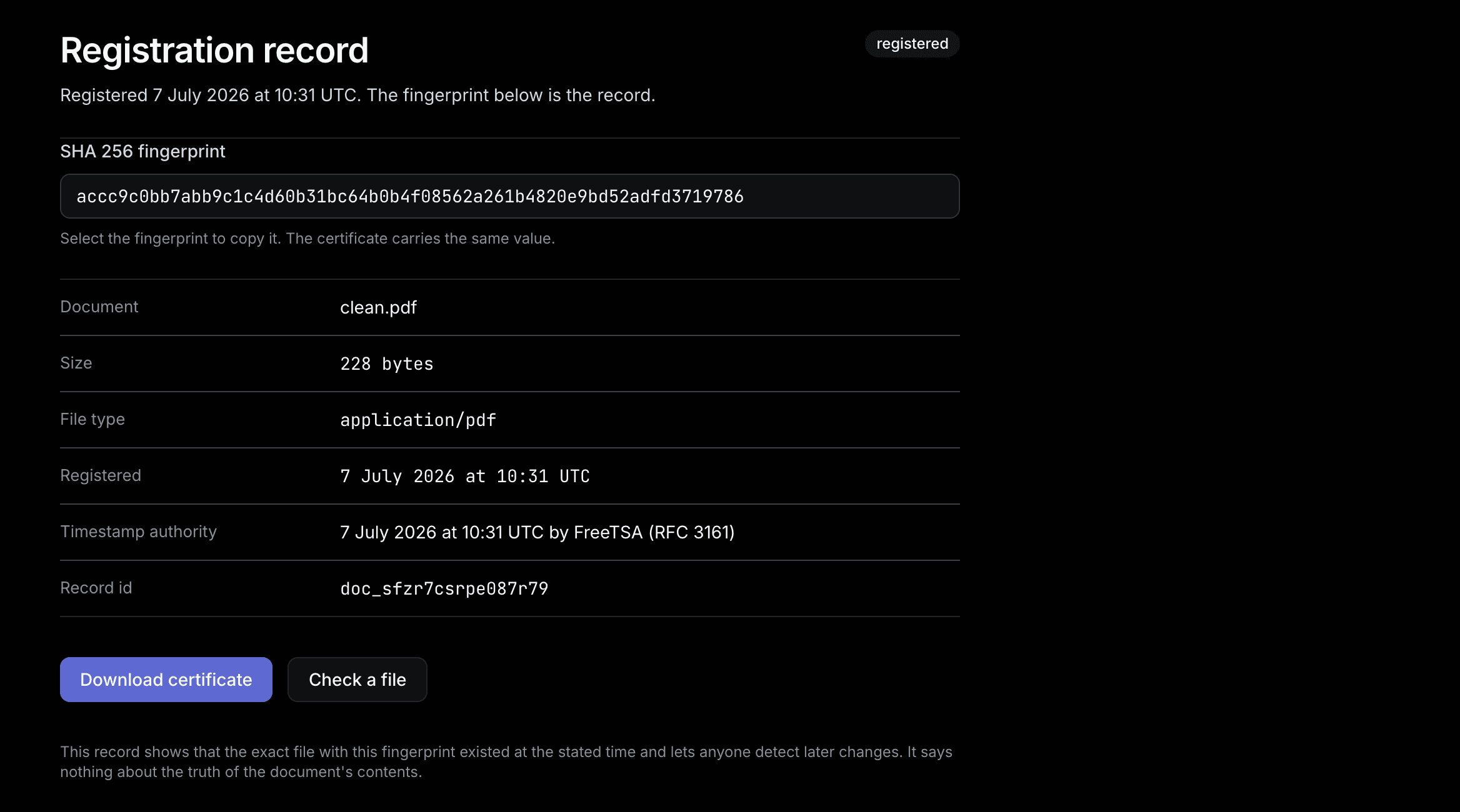
A SHA 256 fingerprint is computed and countersigned by an independent RFC 3161 timestamp authority, which fixes the moment it existed.
- 3
You get proof you can share
A certificate with a public verify link and a QR code. Anyone can check it without an account, and uploading the file again says whether a single byte changed.
Notarize / The digital notary
One record that outlives the file.
The fingerprint and the timestamp are the proof. The document stays yours and never reaches our disk.
Independent timestamps
Two public authorities, FreeTSA first and DigiCert as the fallback, so the time is not our word alone.
A public verify link
Every certificate carries a link and a QR code that recompute the fingerprint of the file you upload, with no account required.
Nothing stored but the fingerprint
Files are processed in memory and discarded. What remains is the hash, the timestamp and the certificate.
Inspect / The signals report
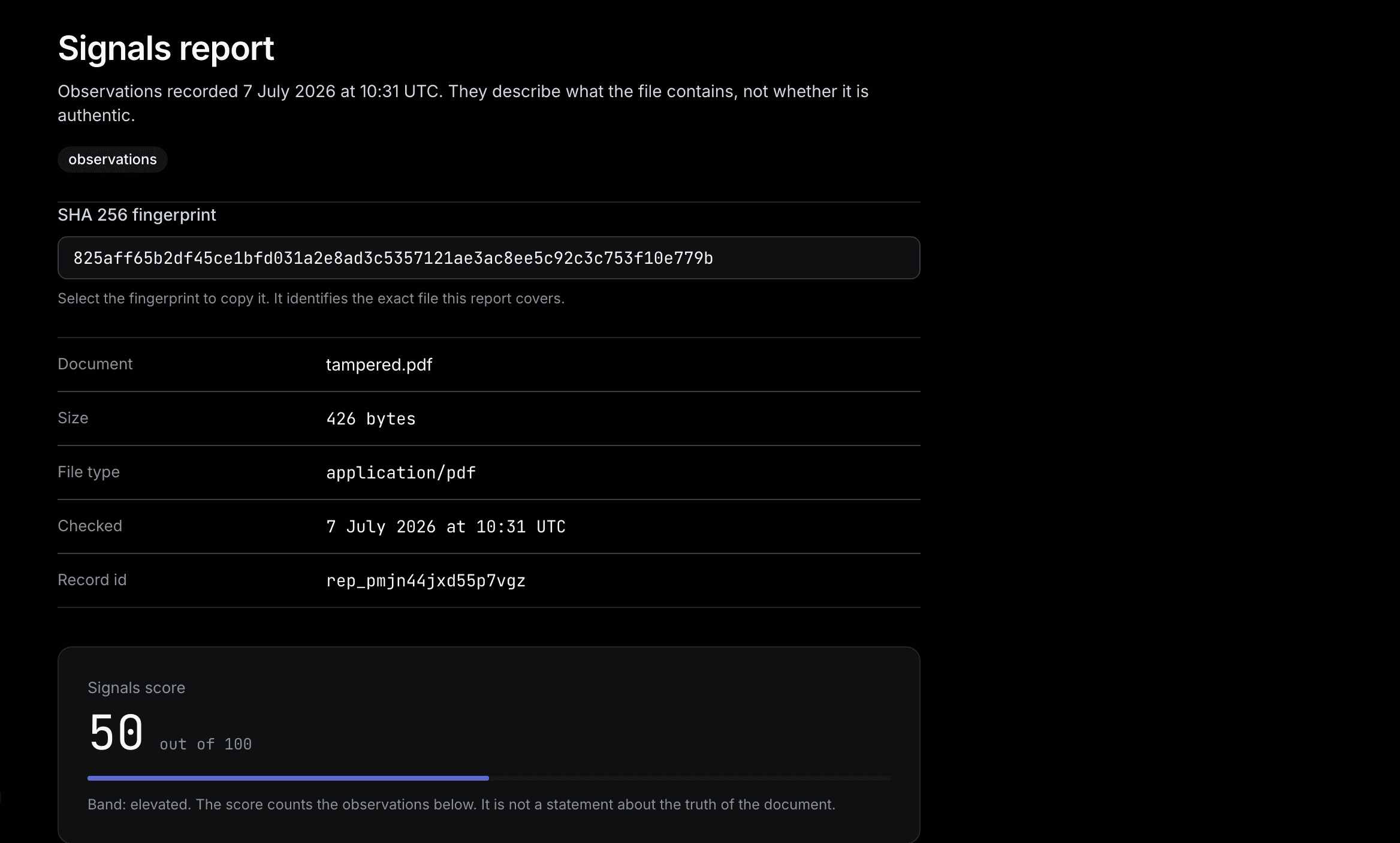
What a received file actually says.
Observations with a 0 to 100 risk score. Never a verdict, never a claim the evidence cannot support.
Revision history
PDFs keep a trail of every save. We count the revisions and flag documents resaved after creation.
Metadata forensics
Creation and modification dates, authoring tools and edit history, cross checked for contradictions.
Embedded signatures
PAdES and Adobe signatures are detected and reported as the integrity evidence they are.
Tool chain analysis
A bank statement produced by image editing software is worth knowing about, so the full tool chain is listed.
File type honesty
A PDF renamed to look like a photo, or the reverse, is a strong deception signal. Content is checked against the name.
Content credentials
Files carrying C2PA content credentials are detected, the emerging standard for provenance and AI disclosure.
Pricing / Per account, billed monthly
Four plans, one price list.
Prices are in EUR and exclude VAT. VAT is added at checkout where it applies.
Free
EUR 0
per month
Five checks a month for a document you need on the record today.
- 5 checks a month
- Trusted timestamp certificates
- Public verify links with a QR code
Pro
EUR 15
per month
For one person who registers documents most weeks.
- 100 checks a month
- Fingerprints kept for as long as the account exists
- Signals reports on received files
Business
EUR 79
per month
For a small team that also needs the API and shared access.
- 1000 checks a month
- 5 seats
- REST API with bearer keys
Enterprise
Custom
per year
High volume, a signed data processing agreement and a named contact.
- 100000 checks a month
- 100 seats
- Priority support and onboarding
Get started / Fourteen days, no card
Put your next document on the record.
Register one document, share one verify link, and decide from there. Cancel from settings at any point during the trial.
The trial runs for fourteen days and does not ask for a card. Fingerprints and reports are stored in the EU and you can export or delete all of them from settings.
Questions / Asked before signing up
The things people want settled first.
Does LudeProof store my document?CloseOpen
No. The file is processed in memory and discarded. What is kept is the SHA 256 fingerprint, the trusted timestamp and the certificate, which is all that is needed to prove the document has not changed.
Can LudeProof tell me a document is authentic?CloseOpen
No, and no tool honestly can. A report lists observations: revision history, metadata contradictions, embedded signatures and file type honesty. You stay the judge, and the report never claims more than the evidence supports.
What happens if the timestamp authority is unreachable?CloseOpen
The fingerprint is still registered and marked local only, and the certificate says so. Re timestamp it later and the record is updated, with both timestamps kept.
How does verification work for someone without an account?CloseOpen
Every certificate carries a public link and a QR code. Opening it recomputes the fingerprint of the file you upload and compares it with the registered one. No account, no email, no cost.
Which files can I register?CloseOpen
PDF, JPEG, PNG and Word documents up to 20 MB. The API accepts any file and returns the fingerprint and timestamp.
Where is the data stored?CloseOpen
In the EU, on LudeHQ infrastructure. Fingerprints and reports belong to the account, are never used to train anything, and can be exported at any time.